
Tixplore: Travel Animator
Turn your route into
an animated map video.
Add your stops, choose a map style and watch a 3D vehicle follow your route. Export the finished video for Insta Reels, TikTok and Shorts — free in the Tixplore app.


Free to download. You create and export your video in the Tixplore app.
Amsterdam → Brussels → Paris
A 3D vehicle for
every leg of the trip
Choose from 19 models: cars, camper vans, buses, two trains, planes, a helicopter and a speedboat. Each leg can use a different one, so a flight and a road trip can share one video.
models
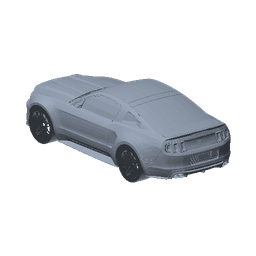
Racing Car
Cars
Drag to orbit · auto-rotating
Swipe each row · tap a model to preview it above
Cars
Vans & buses
Trains
Air
Boats
Same route · 10 looks
Change the map,
not the journey
Switch styles without changing your route, camera or timing. Every style is free.
Standard (No Borders) Standard (3D, terrain) Outdoors (terrain focus) Dark Satellite (No Borders) - Day Standard Satellite - 10+map stylesavailable in the app
8 photo frames
Your photos, framed
as they pop up
Attach your photos to a stop. They appear as the route reaches it, and each frame adapts without cropping.
AirmailVintage postcard stripe band on cream paper. PolaroidWhite matte with a thick caption bar. Filmstrip35mm black bars with sprocket holes. Postage stampPerforated scalloped edge. Ticket stubCream ticket with side notches. Torn paperRagged hand-torn edge. Washi tapeTaped-into-a-scrapbook look. Double ruleClean twin keyline border.
4 shapes · 6 quality tiers · all free
Sized for wherever
you’re posting it
Pick the shape for the platform and the quality for the screen. Every combination below exports free and saves straight to your phone.
3840 × 2160
- 9:16Reels & Shorts
up to 2160 × 3840
- 4:5Feed portrait
up to 2160 × 2700
- 1:1Square
up to 2160 × 2160
- 16:9Landscape
up to 3840 × 2160
Quality × shape
Exact output size for every combination. 4K renders at 30fps; 1440p and below reach 60fps.
| Quality | 9:16Reels & Shorts | 4:5Feed portrait | 1:1Square | 16:9Landscape |
|---|---|---|---|---|
Data saver720p · 30fps | 720 × 1280 | 864 × 1080 | 720 × 720 | 1280 × 720 |
Standard1080p · 30fps | 1080 × 1920 | 1080 × 1350 | 1080 × 1080 | 1920 × 1080 |
Smooth1080p · 60fps | 1080 × 1920 | 1080 × 1350 | 1080 × 1080 | 1920 × 1080 |
High1440p · 30fps | 1440 × 2560 | 1350 × 1688 | 1440 × 1440 | 2560 × 1440 |
Ultra1440p · 60fps | 1440 × 2560 | 1350 × 1688 | 1440 × 1440 | 2560 × 1440 |
4K2160p · 30fps | 2160 × 3840 | 2160 × 2700 | 2160 × 2160 | 3840 × 2160 |
- MP4H.264
File type
- 8–120seconds
Clip length
- ≈30 MB≈125 MB at 4K
30s clip at 1080p
- Savedto your phone
Small tixplore.ai watermark
Amsterdam → Brussels → Paris
Demo
Watch a finished route video
See the route, vehicle and trip photos come together in a real export from the app.

Follow us
See where everyone else is going
Real route videos made with Travel Animator, posted daily. Scan the code for your next idea, and to see what yours could look like.
Follow on InstagramHow it works
Three steps to a finished clip
Build and export the whole video on your phone.
- 1
Add your route
Drop in the places you are travelling between — or start from a trip you planned with Tixplore — and the app connects them into a route.
- 2
Choose the look
Pick a map style and a vehicle for each leg. The app handles the camera while your photos appear along the route.
- 3
Export and share
Pick a shape (9:16, 4:5, 1:1, 16:9), a quality up to 2160p · 30fps, and save the file to your phone.

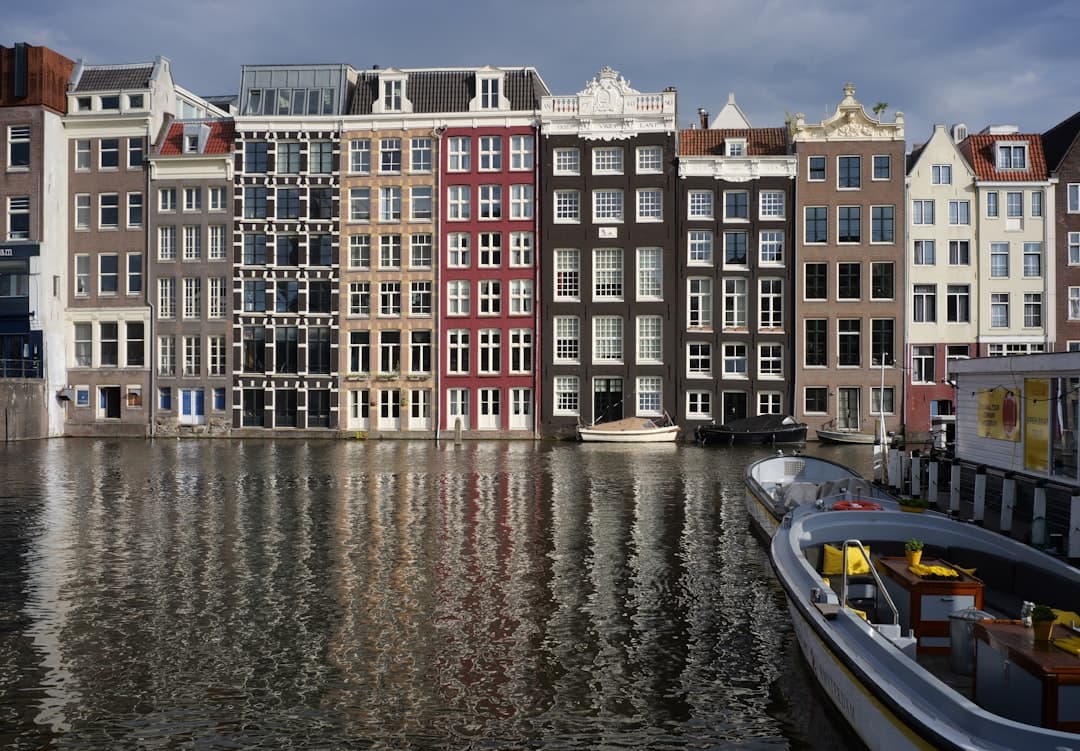
Guides
Tixplore: Travel Animator guides
How we compare
The free 4K difference
Of every travel-map animator we checked, none exports 4K for free — it is a paid subscription, a per-export charge, or capped below 4K. Tixplore exports full 4K free (30fps, or 1440p at 60fps), with a small tixplore.ai watermark.
| App | 4K export | What 4K costs | Free-tier export |
|---|---|---|---|
| Tixplore | 4K · 30fps | Free | 4K, small watermark |
| Travel Animator | Yes | Pro — $5.99/mo | HD + watermark |
| TravelBoast | Yes | Premium subscription | Below 4K + watermark |
| AvoMap | Yes | Pay per export (from $9 / 5 videos) | No free export |
| mult.dev | No — 1080p max | — | 768 × 432 |
Competitor details from each app's own pricing pages, September 2026. Tixplore is not affiliated with these apps.
FAQ
Tixplore: Travel Animator FAQ
What is Tixplore: Travel Animator?
It is a free feature of the Tixplore mobile app that turns a trip into an animated map video. You add the places on your route and the app plays a 3D vehicle tracing the journey across your chosen map style, then lets you export the clip to share.
Can I plan the trip with AI and then animate it — all in one app?
Yes, and that's the whole idea. Tixplore is the first place where the plan and the video live together: describe your trip and the AI builds a day-by-day itinerary, chat with it to tweak anything, then turn that same route into an animated travel video with Tixplore: Travel Animator. No copying stops into a separate video app — plan it, edit it, animate it, all in one place.
What is tixplore.ai?
tixplore.ai is Tixplore — same place, shorter address. Whether you type tixplore.ai or tixplore.com, you get everything Tixplore does: generate a trip plan with AI, fine-tune it by chat, plan together with friends, and animate your trip into a shareable video with a single tap. All of it free.
Is Tixplore: Travel Animator free?
Yes. The Tixplore app is free to download on iOS and Android and there are no in-app purchases to create or export your map video.
What resolution can I export — and is 4K free?
Yes — up to 4K (3840 × 2160) at 30fps, or 1440p at 60fps for the smoothest motion, all free. Pick 9:16 Reels & Shorts, 4:5 Feed portrait, 1:1 Square, 16:9 Landscape; every video is an MP4 (H.264) saved to your gallery with a small tixplore.ai watermark — no paid tier, no surcharge for 4K.
How long does an export take?
It renders right on your phone — no uploading and no cloud queue. On a recent phone a 30-second 1080p video is usually ready in under a minute, and 4K in a few minutes; older phones take a little longer.
How long can the video be, and how big is the file?
Anything from 8 to 120 seconds. Files stay easy to share — a 30-second clip is roughly 30 MB at 1080p and about 125 MB at 4K.
Can I choose the map style?
Yes — pick from 10 map styles, from clean minimal looks to full satellite. The style only changes how the video looks; your route, camera and timing stay exactly where you put them.
What 3D vehicles can I use?
19 models — cars, a camper van, a motorhome, three buses, two trains, four planes, a helicopter and a speedboat. You set the vehicle per leg, so a trip that flew out and drove back shows a plane and then a car in the same video.
Can I add my own photos?
Yes — attach up to 20 photos to any stop and they pop up as the route reaches it, inside one of 8 decorative frames (airmail, polaroid, filmstrip, postage stamp, ticket stub, torn paper, washi tape, double rule). Frames adapt to each photo's shape and never crop it.
Can I animate flights and road trips in the same video?
Yes. A route can chain multiple legs — drives, flights and train hops between several stops — so a multi-city trip plays as one continuous animation.
Make your animated travel map
Add your route, choose a style and export the video in the Tixplore app.
Free to download. You create and export your video in the Tixplore app.